
Agentic Answers
Agentic Answers is a new, more powerful version of Answers that uses an AI agent to investigate your data more thoroughly and provide richer, better-formatted responses.
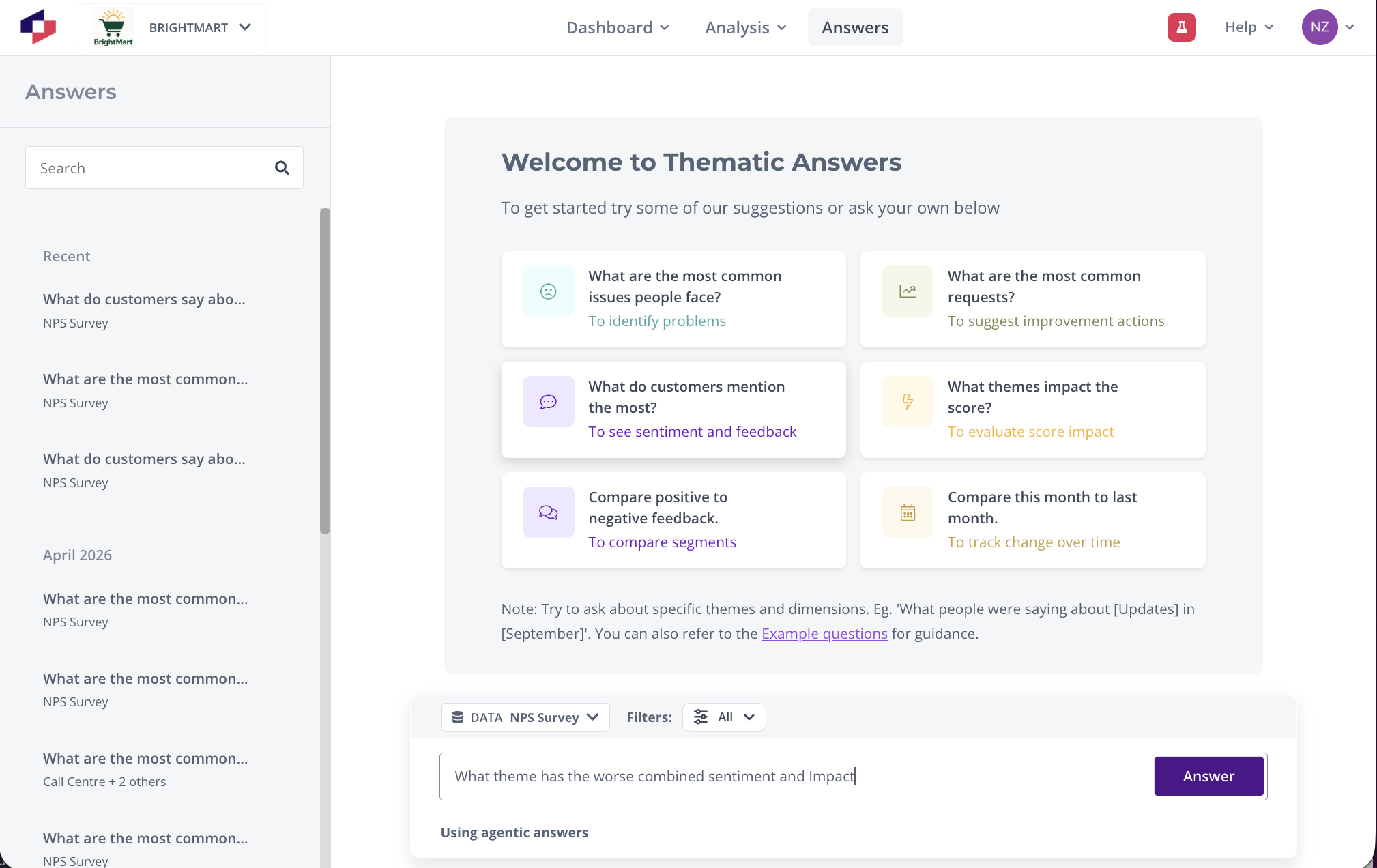
What's new in Agentic Answers
Agentic Answers is a significant upgrade over the original Answers experience. Here's what's different:
- Understands any type of question — The agent interprets your question and decides the best way to investigate it, rather than relying on a fixed set of question patterns.
- Follow-up questions — You can ask follow-up questions that build on the previous answer. The agent remembers the context of your conversation.
- Multiple tool calls — The agent can make up to 10 queries to investigate your question, compared to a single query in the original version. This means deeper, more thorough answers.
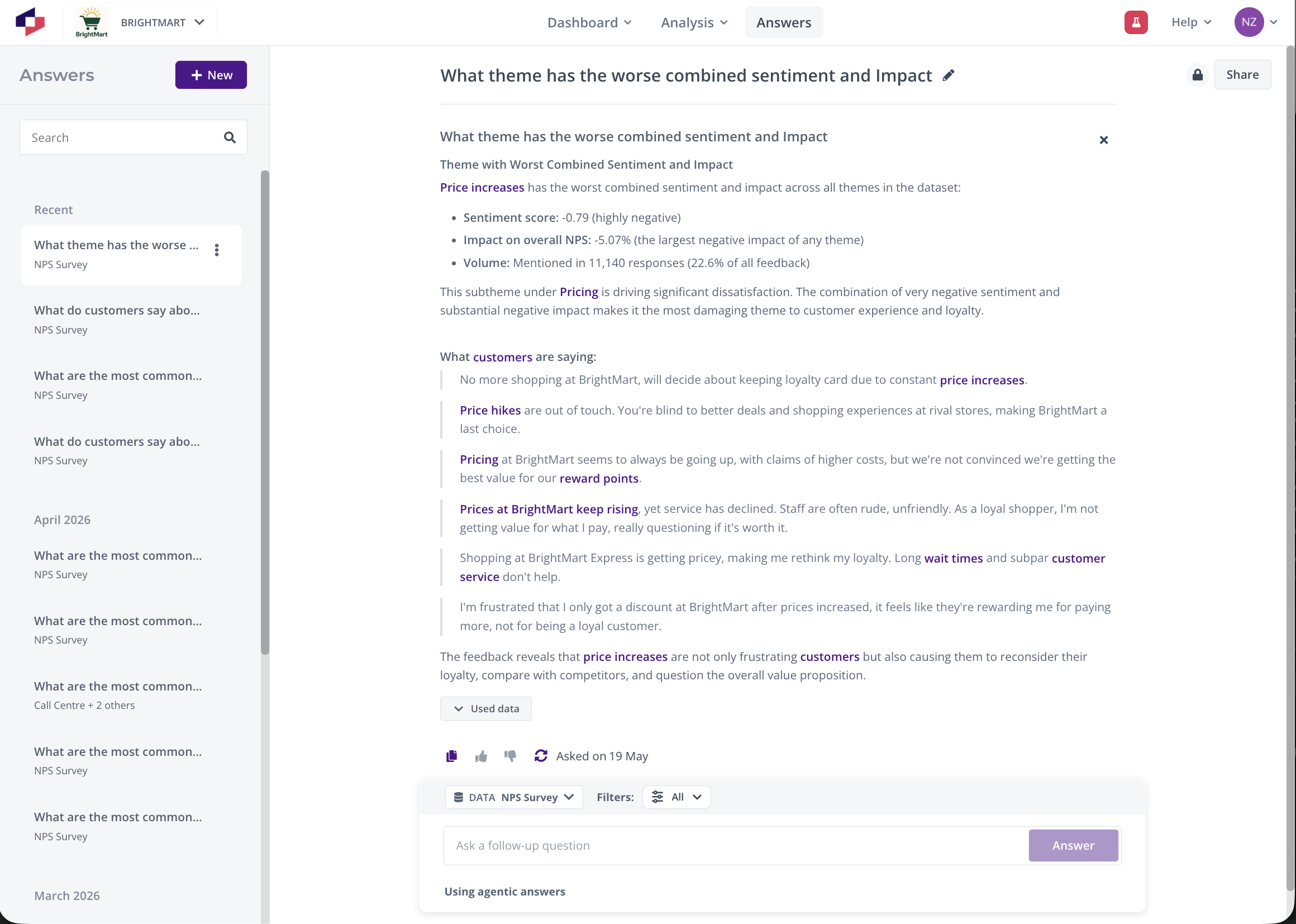
- Multi-part answers — Answers can contain multiple sections, each with its own citations and data sources.
- Mixed content — Answers can combine text and visualizations together in a single response.
- Rich formatting — Text answers include formatting such as headings, lists, bold text, and icons.
- Smarter quotes — Select Quotes finds the most relevant customer comments rather than simply matching filters.
- Precise citations — Each answer part cites exactly which tool calls were used. You can follow through to Analysis tools individually for each citation.
- Streaming responses — As each answer part is written, it's shown to you, so you can start reading during longer investigations.
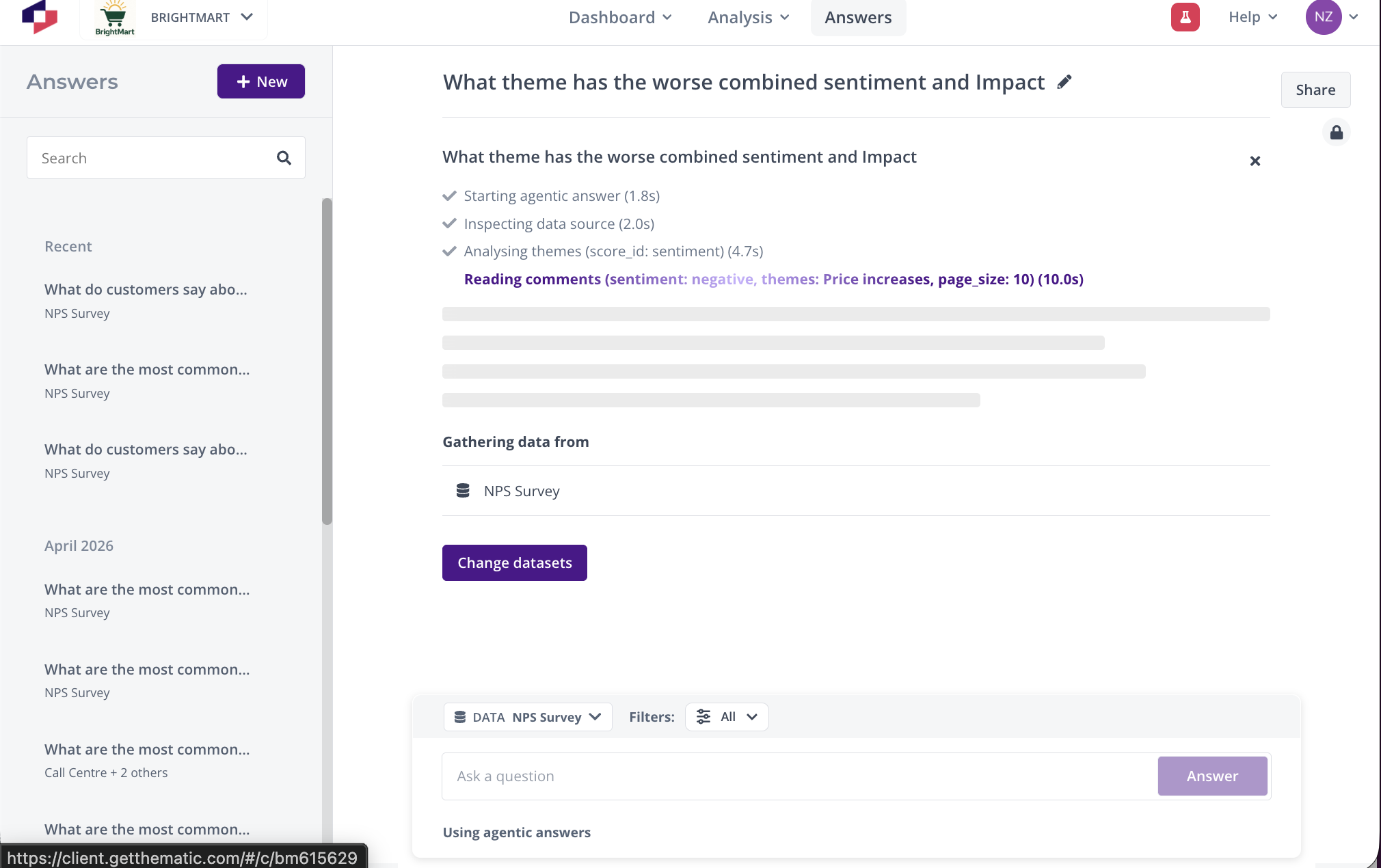
How to use Agentic Answers
Using Agentic Answers works the same way as the original Answers — navigate to the Answers page, select your dataset or lens, and type your question.
The key difference is that the agent now has more freedom in how it investigates. For example:
- You can ask complex, multi-part questions that would have required multiple separate queries before.
- You can ask "why" follow-up questions to dig deeper into a previous answer.
- The agent can combine data from different angles to build a more complete picture.
Things to know
Because Agentic Answers works differently from the original, there are a few things to be aware of:
- Filters are hints, not guarantees. If the filters you've applied would prevent the agent from answering your question, it may use them as context rather than strict restrictions. For example, if you filter to a segment with no relevant data, the agent may broaden the search to give you a useful answer.
- Answers take longer to generate. Because the agent makes multiple queries and does deeper investigation, answers take approximately 1.5x longer than the original version. The streaming display helps — you'll see parts of the answer appear as they're ready.
- Select Quotes takes additional time. Unlike the original version where quotes were available immediately, the agent needs time to find the most relevant quotes.
- Error handling is implicit. The original version had explicit messages like "this isn't a question" or "the dataset isn't about this." In Agentic Answers, these are handled by the agent as part of its response — it will let you know if it can't answer and explain why.
Providing feedback
You can rate answers using the thumbs up or thumbs down buttons. If something doesn't work as expected, this feedback helps improve the system.
If you experience issues, contact your Thematic representative or email support@getthematic.com.
Related articles
- How to use Answers — Covers the original Answers experience, including accessing Answers, saving answers, and sharing.
- Example Questions for Answers
- How to share Saved Answers
Was this article helpful?
Your feedback helps us improve our documentation.