
Adding a description to a dataset
You need manage dataset permissions to add or edit a description. Anyone with access to the dataset can read it.
A dataset name like "NPS Survey" tells people what the data is called, but not what it actually is — who was asked, how often, or what to be careful about when reading the results. A dataset description lets you write that context once, in the dataset's setup, and it then appears next to the analysis for everyone who uses it.
This is especially useful in a lens, where several datasets are combined and it isn't obvious what each one contributes.
Adding a description
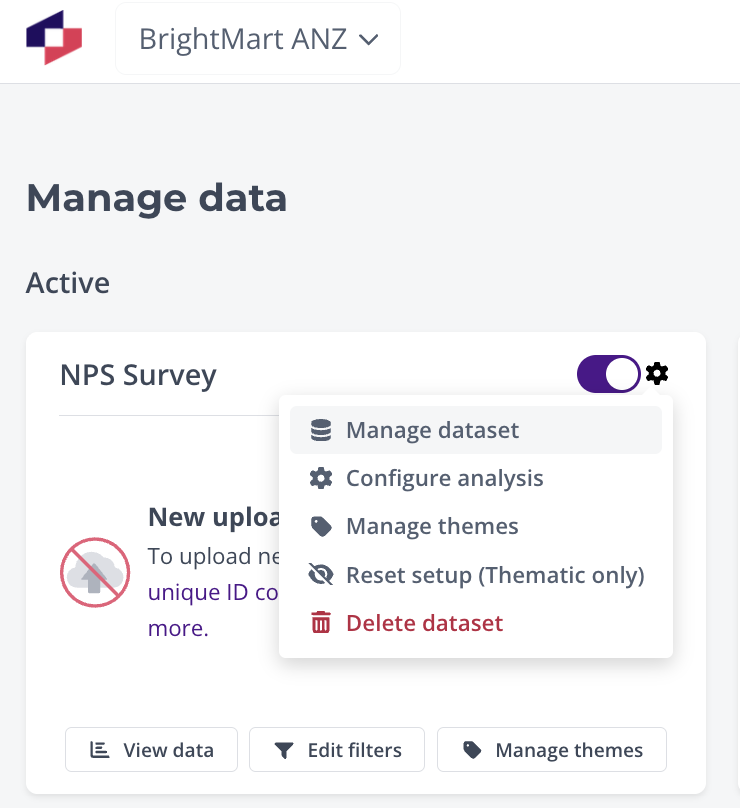
- Open Manage data from the main menu.
- Click the settings icon on the dataset's card and choose Manage dataset.
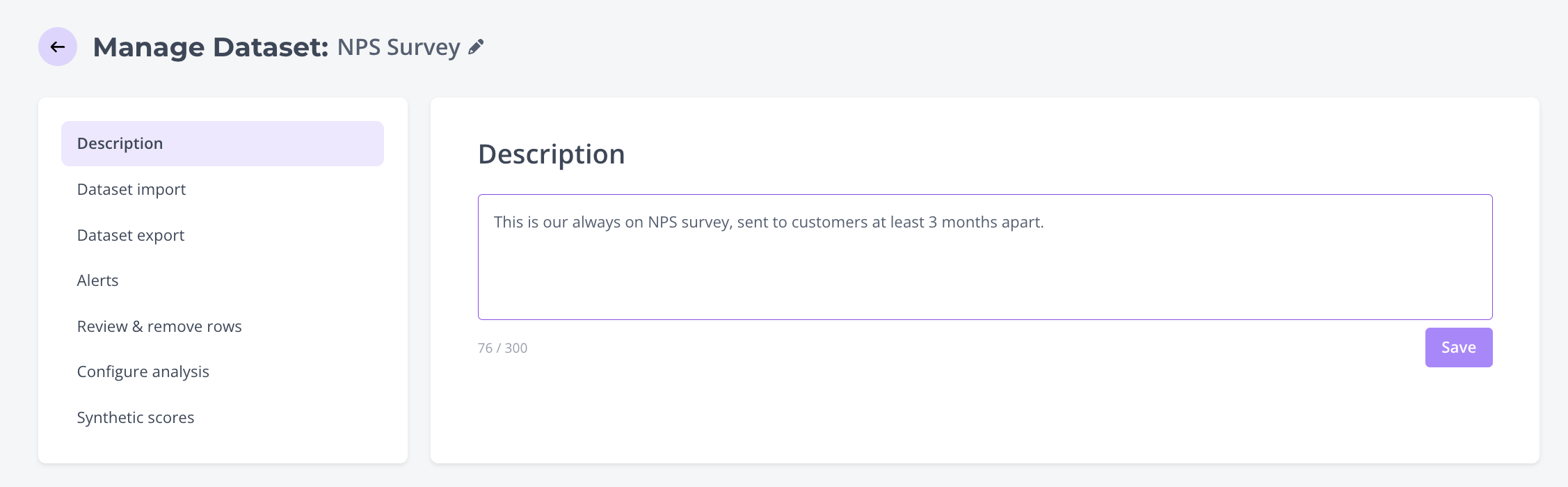
- Select the Description tab.
- Type your description and click Save.
Descriptions are limited to 300 characters, and a counter under the box shows how much you've used. The description saves immediately and appears in the analysis tools straight away — no reprocessing of your data is needed.
To change a description, edit the text and save again. To remove it, clear the box and save — the description and its icon then disappear from the analysis tools.
Where the description appears
On a dataset
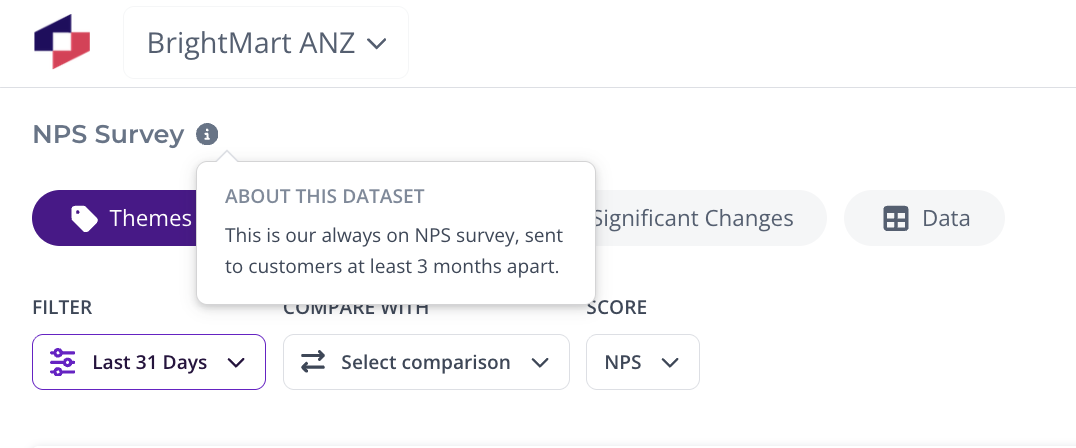
An information icon sits next to the dataset name at the top of the analysis page. Hover over it to see the description under the heading About this dataset. Datasets without a description don't show the icon at all.
On a lens
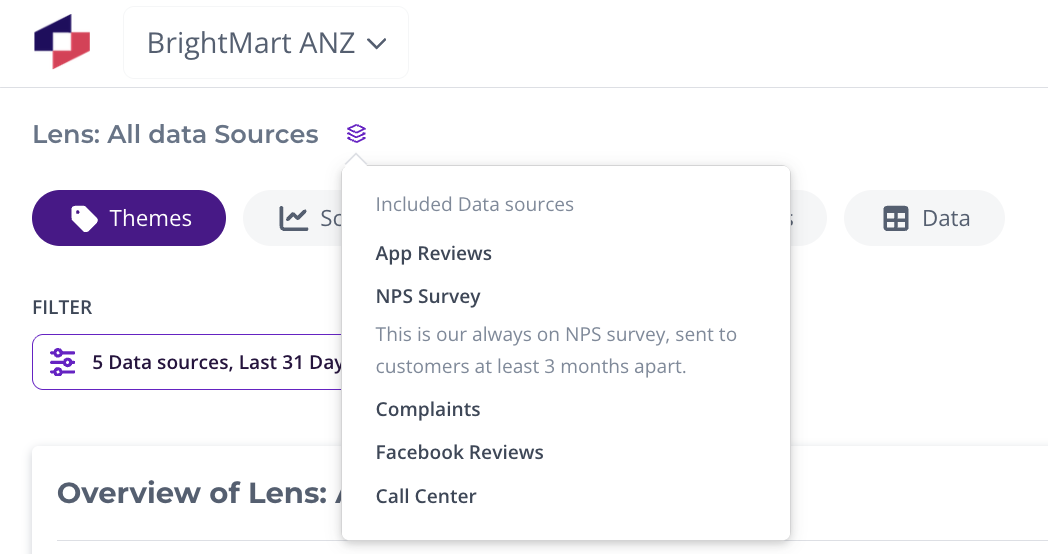
On a lens, hover over the data sources icon next to the lens name. The Included data sources list shows every dataset in the lens, with each one's description underneath its name. Datasets that don't have a description are simply listed by name.
What to write
You have 300 characters, so aim for the things someone would otherwise have to ask you about:
- What the data is — the survey, review source or channel it comes from.
- Who it comes from and when — which customers are asked, and how often. For example: "This is our always-on NPS survey, sent to customers at least 3 months apart."
- Anything that would change how the results are read — a sampled audience, a region or product limitation, a question that changed wording, or a period with a known gap in the data.
Write it for someone who doesn't work with the data every day, and avoid internal shorthand. It's worth revisiting the description whenever the underlying survey or feed changes, since it's the first thing people read when they question a number.
Was this article helpful?
Your feedback helps us improve our documentation.